
Free centering checker
Take a photo and see your centering right away, with an estimate for PSA, BGS and CGC.
- 100% freeIncluding automatic edge detection
- No accountNo subscription, no login
- Auto straightenTilted or curved photo? The tool straightens it
- PrivateMeasuring happens on your own phone
Check your card before you send it in
Measure the centering of your card and see right away what it means for your grade at PSA, BGS and CGC.
Tap Share ⬆︎ at the bottom and choose Add to Home Screen. From then on the centering checker opens like an app.
- 1Corners and curve
- 2Edges
- 3Result
- 100% free
- No account
- Measured on your own phone
- 1Corners and curve
- 2Edges
- 3Result
This is an example card. Take or choose a photo of your own card and we will go through it together in 3 steps.
⚠️ That looks very off-centre. Check the lines: is your card in a sleeve or toploader? The tool sometimes picks up the edge of the plastic. Put the orange lines on the edge of the card itself.
This is how far the image is off-center for a centering 10. Corners, edges and surface count too.
Back not measured yet: the estimate is based on the front only.
Measure the front of your own card first, then you can save or share your result as an image.
Centering only. Corners, edges and surface count too, and the grading company makes the final call. This result is an estimate.
My cards
Check several cards and see which one scores best. This list is stored on this device only.
Recent results
Cards measured with this centering checker.
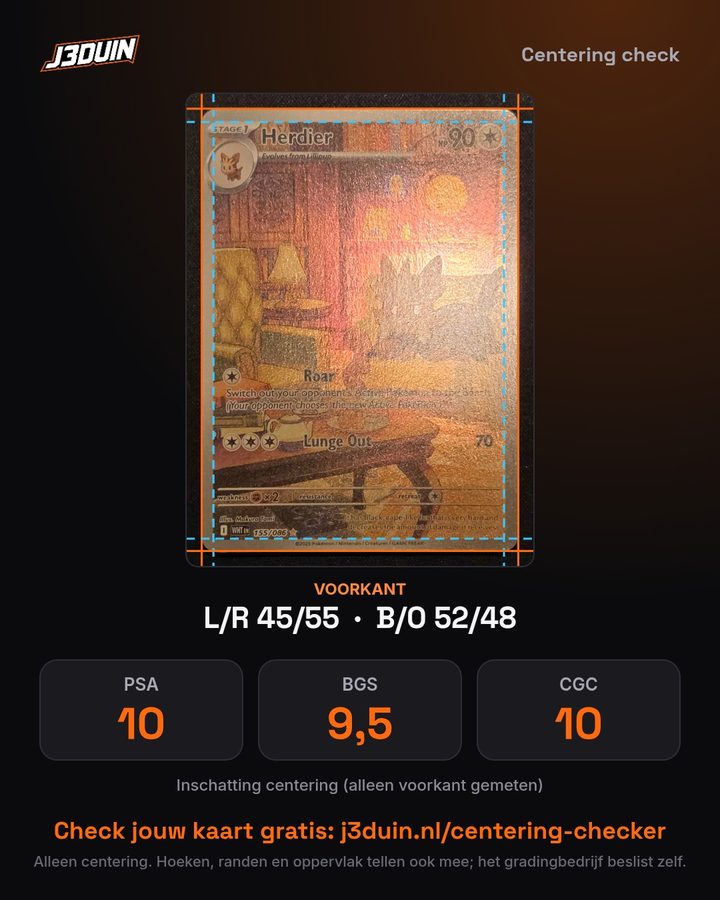
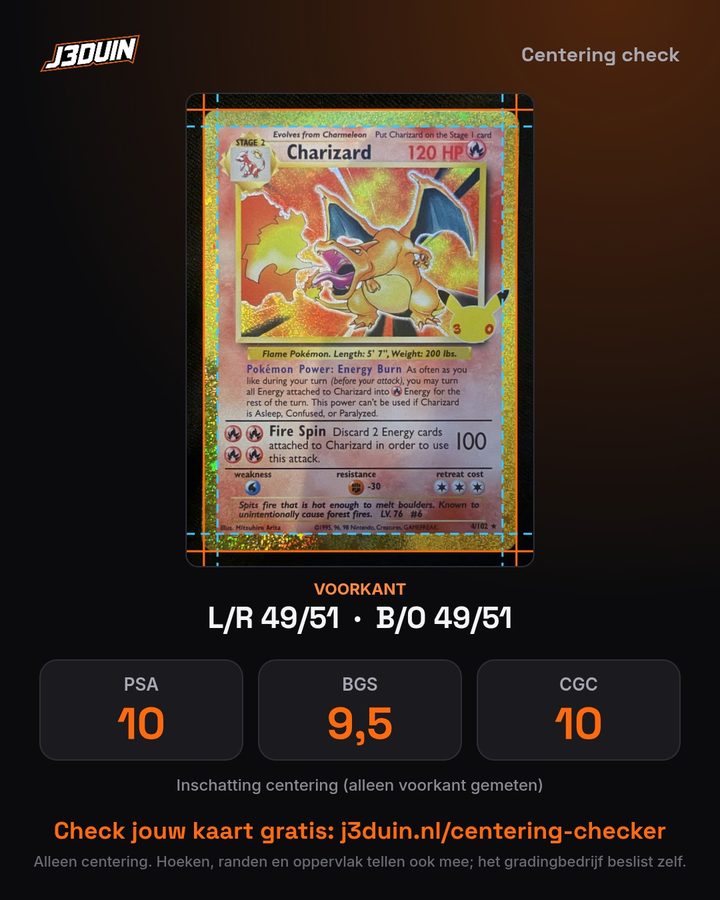
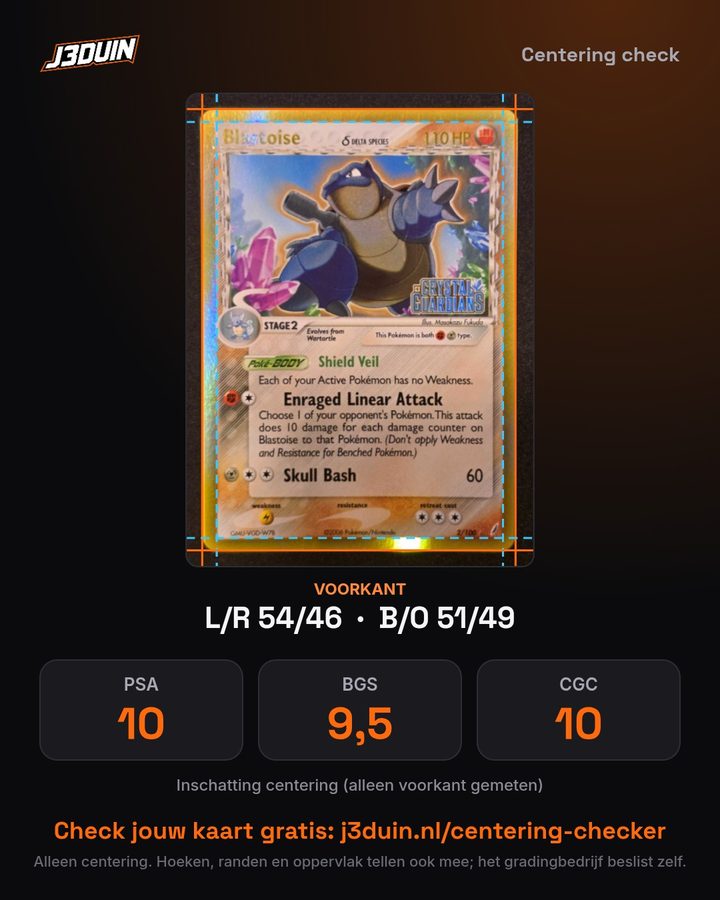
How to use the centering checker
- Tap Start and take or choose a photo (on a computer you can also paste with Ctrl+V or drag a photo in). Lay the card flat on a dark surface, out of the sleeve, shot straight from above and without glare.
- The tool guides you in 3 steps and finds the card and the edges by itself.
- Corners. Check that the 4 orange dots are on the corners of the card and move them if needed.
- Curve. Most cards look slightly curved in a photo. Does the orange line not follow the edge? Drag the triangle in the middle of that side. Then the tool straightens the card.
- Edges. The tool shows you the 4 orange lines (outer edge) and 4 blue lines (inner edge) one by one, with a loupe. Put them exactly on the edge with the arrows or by dragging.
- Result. You see the centering, the estimate for PSA, BGS and CGC and how far it is from a 10. Then measure the back as well, so it counts too.
What centering do you need for a 10?
Below you see roughly how far off-center each grading company allows. The number is always the widest border against the narrowest. Companies sometimes change their rules and also look at the overall eye appeal, so use this as a guideline.
| Company | Grade | Front | Back |
|---|---|---|---|
| PSA | 10 Gem Mint | 55/45 | 75/25 |
| PSA | 9 Mint | 60/40 | 90/10 |
| PSA | 8 NM-MT | 65/35 | 90/10 |
| PSA | 7 NM | 70/30 | 90/10 |
| BGS | 10 (subgrade) | 50/50 | 55/45 |
| BGS | 9.5 (subgrade) | 55/45 | 60/40 |
| BGS | 9 (subgrade) | 55/45 | 70/30 |
| BGS | 8 (subgrade) | 60/40 | 80/20 |
| CGC | 10 Gem Mint | 55/45 | 75/25 |
| CGC | 9 Mint | 60/40 | 90/10 |
| CGC | 8 NM/Mint | 65/35 | 90/10 |
How to calculate card centering
You calculate centering per direction. Measure the left and the right border, divide the widest border by both borders together and multiply by 100. If the left border is 2.0 mm and the right border 1.5 mm, that is 2.0 / 3.5 = 57%. The left-right centering is then 57/43. Then do the same for top and bottom. The worst of the two usually decides your grade.
With a ruler that is almost impossible, because it comes down to tenths of a millimeter. That is why this centering calculator works from a photo: the tool measures the borders in pixels, which is far more precise.
Centering is only one of four
A grading company looks at four things: centering, corners, edges and surface. A card with perfect centering but one white corner will not get a 10. So look at your card up close as well. With a 30x magnifier with UV light you spot white specks, scratches in the holo and print lines you miss with the naked eye.
Did your card come back as a 10?
Then you want to protect it well. A slab guard absorbs bumps and prevents scratches on your slab. Got a lot of them? A slab case safely holds up to 102 slabs. We ship to the Netherlands and Belgium.
Frequently asked questions
How do you measure the centering of an e-Card (Expedition, Aquapolis, Skyridge)?
On e-Cards a strip of dots or bars (the e-Reader code) runs through the yellow border on the left and bottom. That makes those borders naturally wider than the right and top. The centering checker recognizes such a card automatically and leaves out that extra part: it compares your card to how the borders should be on a perfectly cut e-Card. We derived that measurement from e-Cards with a separate Beckett centering subgrade. As a check, an e-Card also shows top against right in millimeters: those are the two regular borders, and on a well-centered e-Card both are about 3.2 mm. If your e-Card is not recognized, tick the e-Card box in step 2.
Is the centering checker really free?
Yes, completely. Everything in the tool is free: the automatic edge detection, straightening a tilted or curved photo, the loupe, the filters and the estimate for PSA, BGS and CGC. You do not need an account or subscription.
What is card centering?
Centering tells you how well the image sits in the middle of the card. You compare the left border with the right border, and the top border with the bottom border. If they are exactly equal, the centering is 50/50. If the left border is wider than the right, you get for example 60/40.
What centering do you need for a PSA 10?
For a PSA 10 the usual guideline is about 55/45 or better on the front and 75/25 or better on the back. PSA also looks at the overall eye appeal of the card, so it remains a guideline.
How far is my card from a 10?
In the result you see per grading company whether the centering is good enough for a 10. If it is not, you see how many millimeters the image is shifted to one side. So you know whether it is a hair off or clearly miscut.
Can I compare several cards?
Yes. After your result, tap Save to My cards. That way you build a list, for example of all the cards you want to submit, and sort by best centering. The list is stored on your own device only.
Can I use the centering checker as an app?
Yes. Tap Add to home screen (on iPhone: Share, then Add to Home Screen). The centering checker then sits on your phone like an app and also opens with poor reception, for example at a card show.
How accurate is this centering checker?
As accurate as your photo and your lines. Take the photo straight from above, with the card flat and without glare. Use the loupe and the arrows to put the lines exactly on the edge. The result is an estimate: the grading company judges the card itself.
Does it work for borderless cards, like full arts?
That is harder, because there is no clear inner edge. Pick a line in the design that should be the same distance from the edge all around, such as the edge of the text box or a frame.
How do you calculate the centering of a card?
Measure the left border and the right border. Divide the widest border by both borders together and multiply by 100. If the left is 2.0 mm and the right 1.5 mm, that is 2.0 / 3.5 = 57%, so 57/43. Do the same for top and bottom. This centering calculator does it automatically from a photo.
Is this a pre-grading tool?
It helps you pre-grade your card: you see in advance how the centering is and what it means for PSA, BGS and CGC. Check corners, edges and surface yourself afterwards, ideally with a lighted magnifier.
Which cards can I use the checker for?
Any card with a border: Pokémon, One Piece, Magic, Yu-Gi-Oh, Lorcana and sports cards too.